


Mobile Wallet
Make secure purchases in stores, in apps, and on the web using your RRCU debit card in your Mobile Wallet. Use the app specific to your device and follow the in-app instructions to add your RRCU debit card. Get started using Apple Pay, Android Pay or Samsung Pay today!
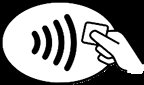
Look for this sign when paying in stores:
Mobile Wallet Terms and Conditions
CLICK HERE for Mobile Wallet Service Terms and Conditions.

Apple Pay
Apple Pay is quick to set up, easy to use and works with your iPhone. Pay with your RRCU debit card with just a touch. And because your card details are never shared by Apple when you use Apple Pay, making payments with your iPhone, Apple Watch, iPad, and Mac is the safer, more private way to pay.
How to set up Apple Pay? For iPhone, go to your Wallet app to add your RRCU debit card to Apple Pay. Follow the directions to activate your account.
Where can you use Apple Pay? CLICK HERE to go to apple.com for the latest list of locations.

Google Pay
You already use your phone for just about everything. Now you can pay with it, too. Just add your RRCU debit card and start shopping in stores, in apps, and online. It's easy to set up and easy to use. Click Here to discover all the benefits in using the Android Pay.
How to set up Google Pay? For an Android Phone, click the icon above, download the free Android Pay app and follow the directions to add your RRCU debit card.
Where can you use Google Pay? Click Here to go to pay.google.com for the latest list of locations. to go to pay.google.com for the latest list of locations.

Samsung Pay
Samsung Pay lets you carry your RRCU debit card on your Samsung devices. All you have to do is tap to check out. Keep your favorite RRCU debit card at the top of your mobile wallet. Learn more Here.
How to set up Samsung Pay? For Samsung Pay, Click Here download the free app and follow the directions to add your RRCU debit card.
Where can you use Samsung Pay? Click Here to go to samsung.com for the latest list of locations. to go to Samsung.com for the latest list of locations.